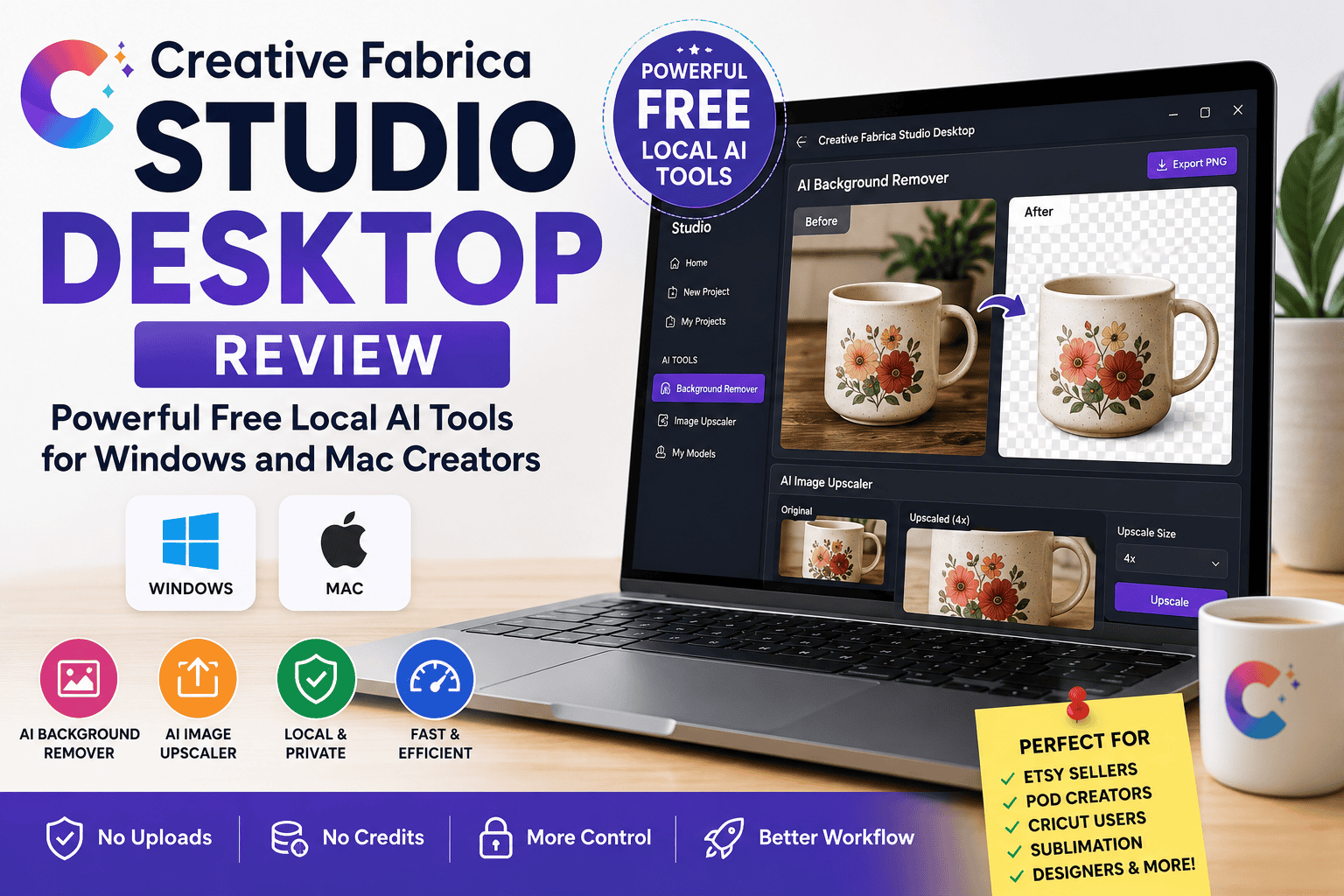
Creative Fabrica Studio Desktop Review: Powerful Free Local AI Tools for Windows and Mac Creators
Artificial intelligence is transforming the way designers, crafters, and online sellers create digital content. From removing image backgrounds to enhancing artwork for print, AI-powered tools can save hours of manual editing. However, many online AI services require subscriptions, image upload limits, or credit-based pricing, making them less convenient for creators who edit images regularly.
Creative Fabrica Studio Desktop offers a different approach. Available for both Windows and Mac, this desktop application combines the Creative Fabrica Studio design experience with supported local AI tools that run on your computer after the required models are installed. Whether you’re an Etsy seller, print-on-demand entrepreneur, Cricut enthusiast, or graphic designer, the app aims to simplify your creative workflow while keeping essential AI tools close at hand.
What Is Creative Fabrica Studio Desktop?
Creative Fabrica Studio Desktop is a desktop application designed for creators who want to use Creative Fabrica Studio alongside supported local AI tools. Instead of depending entirely on cloud-based processing, certain AI features—such as background removal and image upscaling—can run locally on your computer once the necessary AI models have been downloaded.
This means you can work within the Studio environment while using AI-powered editing tools without constantly switching between multiple websites or applications. The desktop version provides a smoother and more integrated experience for creators who frequently edit images and design digital products.
Why Local AI Tools Matter
Local AI tools are becoming increasingly popular because they offer practical advantages for creative professionals.
One of the biggest benefits is convenience. Since supported AI tools can run directly on your computer after installation, you don’t have to upload every image to an online editor. This is especially useful when working with large batches of product photos, printable designs, or marketing graphics.
Another advantage is the absence of a credit-based system for supported local AI tools. Many cloud-based AI platforms charge users based on the number of images processed, which can become expensive over time. Local processing helps eliminate this limitation for supported features.
Creators who value privacy may also appreciate processing supported tasks on their own computer. In addition, users with slower internet connections may find local AI tools more convenient once the required models have been installed.
Key Features of Creative Fabrica Studio Desktop
Creative Fabrica Studio Desktop includes several useful features that help simplify image editing and design workflows.
AI Background Remover
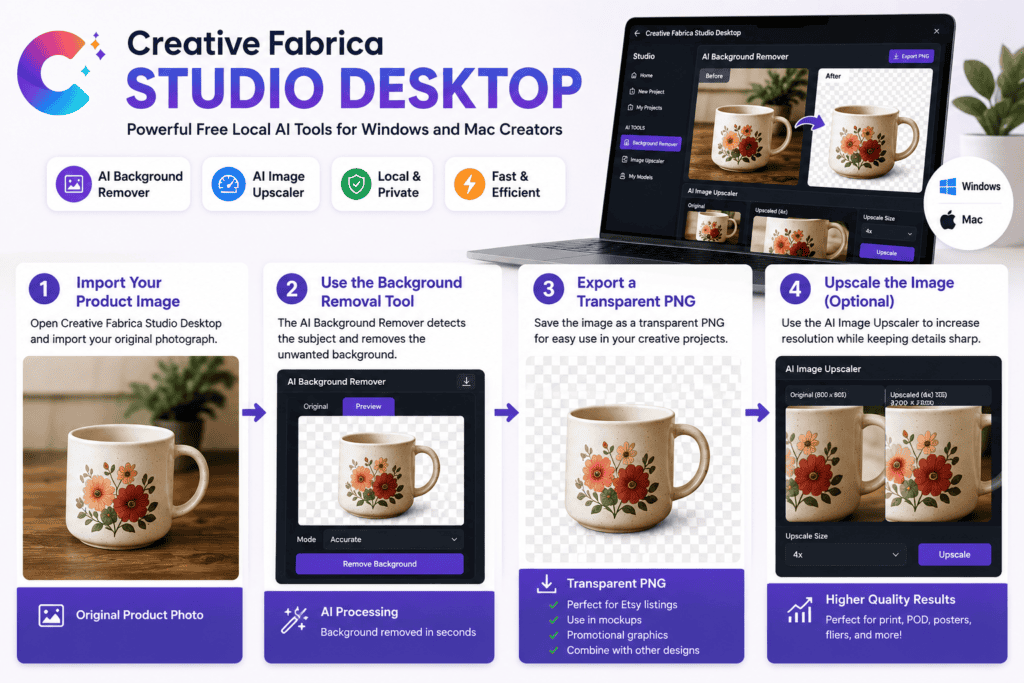
Removing backgrounds is one of the most common editing tasks for online sellers and designers. The AI Background Remover can help isolate products, illustrations, or graphics from unwanted backgrounds, making it easier to create clean product photos and transparent PNG files.
AI Image Upscaler
Low-resolution images often become blurry when enlarged for printing or promotional materials. The AI Image Upscaler helps improve image resolution while maintaining visual quality, making it useful for posters, print-on-demand products, flyers, and marketing graphics.
Integrated Creative Workflow
Instead of jumping between different editing platforms, Creative Fabrica Studio Desktop brings supported AI tools into the Creative Fabrica Studio workflow. This integration allows creators to edit and design more efficiently within one environment.
Windows and Mac Support
The application is available for both Windows and macOS, making it accessible to a wide range of users regardless of their preferred operating system.
Real-World Use Cases
Creative Fabrica Studio Desktop is suitable for many types of creative projects.
Etsy Sellers
Etsy shop owners frequently need clean product images with transparent or white backgrounds. The AI Background Remover can simplify the process of preparing professional-looking product listings.
Print-on-Demand Businesses
Designers creating artwork for T-shirts, mugs, tote bags, phone cases, and other print-on-demand products can use the AI Image Upscaler to improve image quality before printing.
Cricut Users
Cricut projects often require transparent PNG files. Removing unwanted backgrounds makes it easier to prepare designs for cutting machines.
Sublimation Creators
High-quality graphics are essential for sublimation printing. Upscaling artwork before printing can help produce sharper results on finished products.
Content Creators and Small Businesses
Social media managers, bloggers, and small business owners can use the application to prepare marketing graphics, promotional images, and product photographs more efficiently.
Benefits of Using Creative Fabrica Studio Desktop
One of the biggest advantages of Creative Fabrica Studio Desktop is its ability to streamline repetitive editing tasks. Instead of relying entirely on browser-based AI tools, creators can use supported local features directly from the desktop application after installation.
The software also helps reduce workflow interruptions because users don’t need to switch constantly between multiple editing websites. This can improve productivity, particularly for creators working on numerous projects each week.
Another benefit is its compatibility with popular creative industries such as Etsy, print-on-demand, Cricut crafting, sublimation printing, digital products, and online marketing.
Things to Consider
While Creative Fabrica Studio Desktop offers many useful features, it’s important to understand its limitations.
Performance depends on your computer’s hardware. Systems with newer processors and more memory generally provide better performance when running local AI models.
Some supported AI models may need to be downloaded before using certain tools for the first time. This initial setup may take a little time depending on your internet connection.
Additionally, some Creative Fabrica Studio features or account-related functions may still require an internet connection or a Creative Fabrica account, depending on the workflow being used.
Who Should Use Creative Fabrica Studio Desktop?
Creative Fabrica Studio Desktop is a strong option for creators who regularly work with digital images and design projects. It is particularly suitable for:
– Etsy sellers
– Print-on-demand entrepreneurs
– Cricut users
– Sublimation designers
– Graphic designers
– Digital product creators
– Teachers creating printables
– Small business owners
– Bloggers and content creators
– Freelance designers
If your workflow involves frequent background removal, image enhancement, or preparing graphics for online sales, the desktop application can help simplify those repetitive tasks.
Conclusion
Creative Fabrica Studio Desktop brings together creative design and supported local AI tools in a single desktop application for Windows and Mac. By allowing supported features such as background removal and image upscaling to run on your computer after the required models are installed, it provides a practical alternative to relying entirely on cloud-based image editors.
The application is especially valuable for creators who regularly prepare Etsy product photos, print-on-demand designs, Cricut files, sublimation graphics, and marketing materials. While performance depends on your computer and some features may still require internet connectivity, the overall experience is designed to make creative workflows faster and more convenient.
For creators looking to save time, improve productivity, and keep essential AI image upscaler for Mac integrated into their design process, Creative Fabrica Studio Desktop is a useful solution worth exploring.